Sony Inzone H9 II Review - New Wireless Headset with Noise Cancellation
-
 by
David Lörch
by
David Lörch
- last edited: 07.09.2026
Our Rating:
★★★★★
Even with its factory settings, the sound is impressive for its balance; with the versatile EQ presets, there should be something to suit every taste.
★★★★☆
The headphones offer a variety of connection options. Only PlayStation players have to make some compromises when it comes to integration.
★★★★★
High-quality materials are used throughout, giving the product a durable feel. Some of the controls could be more finely adjustable. The included storage bag could be of higher quality.
- Use our affiliate links and support our work.
Our website is free of advertising banners and we state transparently when we have been sent a product. By purchasing from our affiliate partners you do not pay more and support us. Thank you!
Sony Inzone H9 II: First Impressions and Scope of Delivery
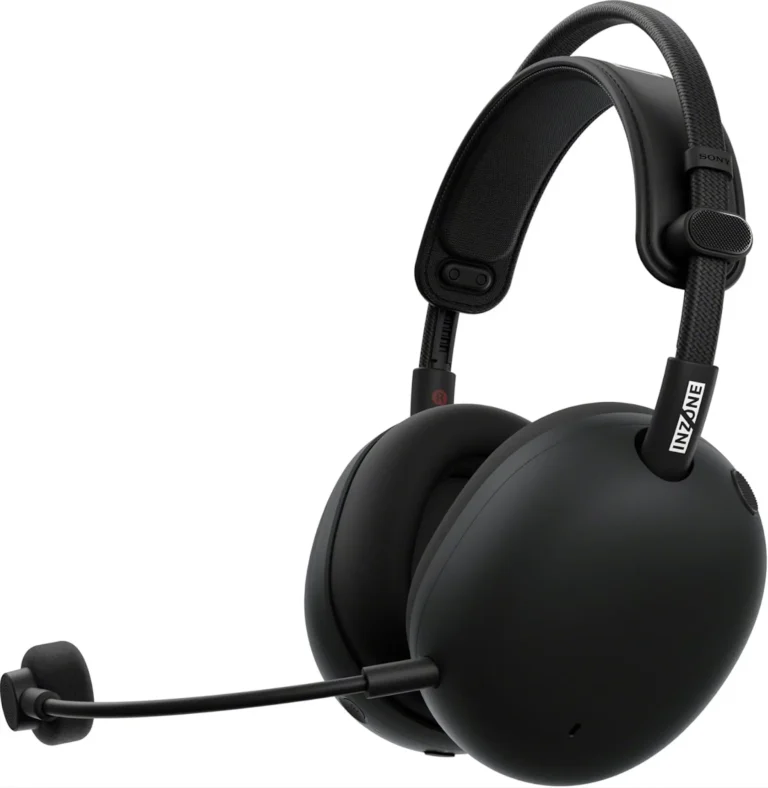
The H9 II is a noise-canceling headset from Sony’s INZONE product line, which specializes in gaming accessories. The INZONE products were developed in collaboration with professional first-person shooter players (e.g., Valorant, Apex Legends) from the Fnatic clan and are therefore particularly well-suited for FPS games.
However, several features have been included that make the headset appealing to other users as well. It features a high-quality driver, the same one found in Sony’s flagship WH-1000XM6 headphones. Thanks to Bluetooth and a compatible app, it can be easily used with a smartphone. In addition, wireless operation via a USB-C dongle is possible, allowing it to be used with consoles that have a compatible port, such as the PS5.
All Sony headphones are known for their effective noise cancellation. The H9 II is no exception and even extends this feature to the detachable microphone.
The headband, which drew a lot of criticism in the previous model due to its lack of durability, has been significantly improved, and the material of the removable ear cushions has been changed from synthetic leather to a mesh fabric that provides better ventilation around the ears. Weighing about 260 grams (without the microphone), the headset is really lightweight, making it extremely comfortable to wear. Even when wearing glasses, you don’t feel any pressure from the over-ear cups. This makes long gaming sessions possible without any signs of fatigue. The outer material is made of matte plastic, which looks stylish but shows fingerprints and other marks very easily. Overall, the design is very successful in its simplicity, as you’d expect from Sony.
Cable + wireless
outstanding sound
3.5mm, USB-C, USB-A and Bluetooth
compatible
compatible
compatible
compatible
compatible
Differences from the first H9
The lightweight design comes with a slightly shorter battery life than its predecessor. According to the manufacturer, battery life without ANC (Active Noise Canceling) is 30 hours, compared to 32 hours for the previous model. The headset takes about 3.5 hours to fully charge, and a fast-charging feature provides 1 hour of use after just 5 minutes of charging. The USB-C port on the left earcup is for charging only, so you can continue to use all features even while charging.
Unlike the first H9, there’s also a 4-pole jack that’s suitable for controllers or handheld consoles and even allows you to use the headset as regular headphones without active components when the battery is dead.
The microphone is now detachable and features its own mute button on the left earpiece, as well as a status LED on the front of the microphone. Additionally, the frequency range has been expanded from 50 Hz–7 kHz to 50 Hz–14 kHz, so voices now sound significantly clearer and with greater detail. Another microphone is mounted on the back of the headband, which records ambient noise in antiphase for noise cancellation. This microphone also features a cardioid pickup pattern, which further minimizes sound from the sides and rear.
The microphone’s ambient noise reduction is supposedly “AI-optimized.” Since it seems that every product these days has to include some form of AI. And since this isn’t explained in more detail, we’ll generously ignore it without delving into whether it actually makes sense.
Bluetooth transmission has also been improved, and with Bluetooth 5.3 instead of 5.0, a new standard featuring LE Audio (low energy, lower power consumption) is now used. Additionally, when paired with a smartphone, you can adjust certain settings via the Sound Connect app. Among other things, you can use an equalizer to customize the sound of the headphones and even save this setting directly to the headphones, independent of a Bluetooth connection. This is particularly handy when using the headphones with a console, where you otherwise can’t adjust any settings.
This brings us to a major shortcoming that many users have already pointed out in comments, including directly on the Sony homepage: The integration with the PlayStation operating system, which worked very well on the previous model, has been completely removed here. With the first H9, you could still control the volume, mute, and balance directly on the PlayStation with corresponding visual indicators. Now that no longer works, and you can only adjust these settings on the headset itself. This is, of course, frustrating if you were used to these features and bought the headset as a direct successor. Hopefully, this will be addressed in a future update.
Amazing Noise-Cancelling
A button on the left side labeled “NC/AMB” (Noise-Canceling/Ambient) lets you cycle through the headset’s different modes, each accompanied by a corresponding notification tone. The first mode is the noise-canceling mode. The headphones already provide relatively good sound isolation, and this mode significantly enhances the sense of immersion in the sound. However, voices or calls remain audible, so you’re not completely out of reach. Sony notes:
“The noise-canceling feature primarily works in the low-frequency range, such as with the sounds of a vehicle or an air conditioner. While the noise is reduced, it is not completely eliminated.”
In our test, the noise from a fan sitting directly on the desk virtually disappeared. Other annoying fans (graphics cards, etc.) or mechanical noises also no longer interfere with your gaming experience.
The second mode is “Ambient Sound” mode, which allows you to be more aware of your surroundings. To achieve this, the microphones attached to the outside of the ear cups, which are otherwise used in antiphase for noise cancellation, are audibly directed toward the headphones. There’s a bit of background noise, but you can now hear very clearly when someone speaks in the room or the doorbell rings.
In the third mode, the microphones are turned off. So you get the same sound as when using the headphones passively with a cable. This is perfectly adequate for quiet environments and comes in handy if you want to extend battery life or give your ears a little break from the slight pressure caused by noise cancellation.
The noise cancellation works just as well with the microphone. The fan in question isn’t audible, even when it’s blowing directly into the microphone from behind. The sound of your voice isn’t affected in the process.
Reference sound from the Sony WH-1000XM6
Like the headphones, the headset features a 30mm driver and a carbon-fiber composite diaphragm. At first listen, the headset makes a strikingly good impression. The sound is balanced, the bass is punchy but not excessive, and the stereo image is wide and clearly defined. The upper mids and highs are subdued, giving the overall sound a pleasantly warm tone for a headset. In reviews and comments, the sound is often rated negatively, and if you’re used to a typical boost in bass and treble, the H9 II may sound a bit unspectacular. Once you’ve listened to it for a while, however, you’ll quickly come to appreciate its neutrality.
Its full potential is realized when used with a PC: here, you have two channels available, one for chat and one for the game. If the game supports it, the headset can reproduce sound in 7.1-channel virtual surround sound. To do this, an encoder must be enabled in the operating system; on Windows, this is “Windows Sonic for Headphones” by default. Depending on the game, the results range from unfamiliar to unusable, and sound localization isn’t necessarily improved.
When used in conjunction with the headset’s accompanying software, the Inzone Hub, this feature can be expanded even further. You can upload a photo of your ear, which is used to create an HRTF (head-related transfer function) profile; “Spatial Sound” is then customized based on this profile. In the Hub, you can also activate EQ profiles specifically designed for FPS games, which, for example, emphasize footstep sounds.
Conclusion: Is the Sony Inzone H9 II gaming headset worth the price?
The Sony Inzone H9 II is an outstanding wireless gaming headset that falls into the higher price range, but is well worth the price thanks to its many well-thought-out features. You can tell the H9 II was developed in collaboration with shooter gamers, and that’s where it really shines. PlayStation gamers benefit less from it; in that case, you might be better off opting for the older model or a more affordable alternative.
The only drawbacks are minor details that don’t have a major impact during normal use: the dongle has only a USB-C connector and no adapter is included, so you’ll need to plan ahead if your PC doesn’t have a USB-C port. The volume control is a continuous slider without a mechanical stop, which can be annoying at times; the same applies to the chat/game balance buttons. The headband adjustment is notched, but it takes some getting used to since you have to press the lock on both sides.
Overall, the new Inzone H9 II is a well-designed product that’s a lot of fun to use.
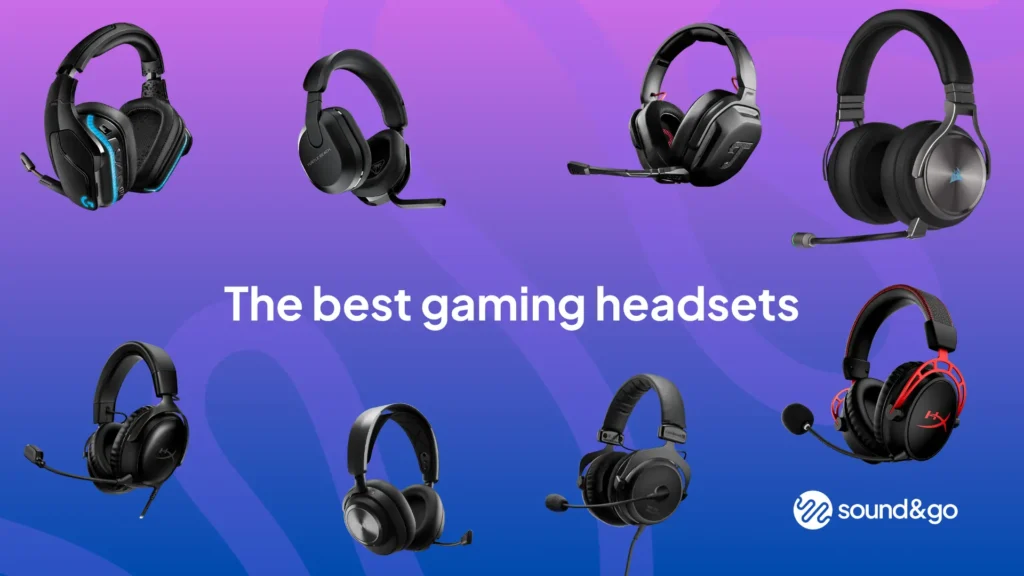
If you’re interested in alternatives, check out our gaming headset comparison. Or take a look at our gaming microphone comparison.
Links marked with * are affiliate links. There are no additional costs for you, some of these links are with an automatic discount for you. We mark these links for transparency and would never recommend bad products. Find out more here: Our partners.