OneOdio Studio Max 2: A Review of These Affordable Wireless DJ Headphones
The OneOdio Studio Max 2 is the Chinese manufacturer’s new flagship model and, at around $190, also the most expensive headphone in its lineup. Compared to its predecessor, several features have been improved; in particular, latency in wireless mode has been further reduced.
-
 by
David Lörch
by
David Lörch
- last edited: 12.05.2026
Our Rating:
★★★☆☆
Without the app, the sound quality is more like a 2 out of 5, and with the app, it’s closer to a 3.5 out of 5. The app lets you tweak the sound a bit more.
★★★★★
Connectivity is good. There are plenty of connection options and an app for controlling the sound. Analog cables are included.
★★★★☆
The build quality is perfectly fine; the DJ headphones feel sturdy and durable. Unlike some competitors' models, there are no replaceable parts.
-
$189.99
As of Oct 23, 2026, 10:31 am GMT+0000
Buy at Amazon*
15% Discount with the Code: L2N9UG4G
- Use our affiliate links and support our work.
Our website is free of advertising banners and we state transparently when we have been sent a product. By purchasing from our affiliate partners you do not pay more and support us. Thank you!
Transparency Note:
We were provided with a free pre-release sample of the OneOdio Studio Max 2. We’ve also received a 15% discount code for you. However, this is not a paid advertisement. Our opinion has not been influenced by receiving the product.
OneOdio Studio Max 2: First Impressions and What's Included
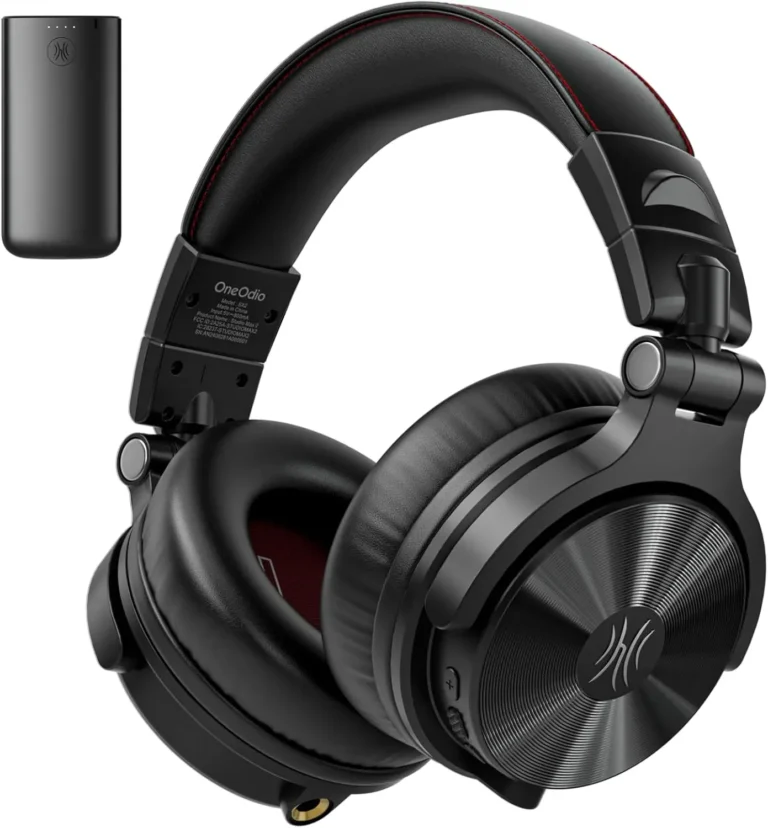
When unboxing, the first thing you notice is the new EVA case (Ethylene Vinyl Acetate), which looks significantly more premium and sturdier compared to the travel pouch of the predecessor. The case has enough room for the lightweight and flat wireless transmitter, which is needed for wireless operation (except for Bluetooth). As is typical for OneOdio, the coiled headphone cable has a 3.5mm jack on one end and a 6.35mm jack on the other, so you can use either side of the cable depending on your source. The headphones have both inputs, one on each side. The cable for the transmitter is short and fitted with 3.5mm plugs and a screw on adapter for 6.35mm. A USB C cable is also included to connect the transmitter to a PC or laptop. For older PCs that don’t have a USB C port yet, you would need an extra cable.
The headphones feel solid and well made and feature the 90 degree swiveling and (nearly) 180 degree outward folding ear cups that are typical for DJ headphones. The ear pads are made of faux leather and are not replaceable. Particularly eye catching is the “Left” and “Right” labeling on a red background inside the ear cups, which is probably readable even in poorly lit DJ booths. The ear cups sit comfortably but can get a bit sweaty. The headband could use better padding. It extends quite far and should offer enough room for larger heads as well. It has a notched mechanism with markings, so you can remember your size and quickly readjust it.
Technical Details
- 45mm driver
- Weight: 232g (no manufacturer specification, weighed)
- Over-ear
- Frequency range 20 – 40,000 Hz
- Impedance: 34 ohms
- Sensitivity: 98 dB ±3 dB
Features and Applications
The headphones are primarily marketed as DJ headphones, but thanks to the versatile connectivity options, many different use cases are possible. A small slider on the right ear cup lets you switch the mode from “ULL” (Ultra Low Latency) to “BT” (Bluetooth). This activates Bluetooth mode and the headphones connect seamlessly to modern smartphones via Bluetooth 6.0. With its two ENC microphones (Environmental Noise Cancelling for improved voice clarity), they can also be used as a headset for phone calls. The three easily reachable and distinguishable buttons (also on the right ear cup) allow for both call and media controls.
In Bluetooth mode, the headphones also support the LDAC codec developed by Sony, which however first needs to be activated through the newly developed app. This enables bit rates of up to a theoretical 990 kbps (roughly 3x the best MP3 quality), though with varying connection stability. 330 kbps is the default mode. This earns the “Hi Res Audio Wireless” certification, awarded by the Japan Audio Society. For the “Hi Res Audio” label, analog frequencies from 20 to 40,000 Hz need to be reproduced, which the headphones also achieve.
Via the transmitter, the headphones can also be used with a PC/Mac or laptop/MacBook. For this, the headphones are set back to “ULL” and the dongle is connected to the computer via USB C. It is automatically recognized and installed and paired with the headphones via a button. Media controls work without any issues here as well, but the microphone signal apparently does not get transmitted over the wireless connection. So using them as a headset is not possible in this mode.
The headphones have a voice prompt that informs you about the connection status. This can only be turned off through the app. If you plug an analog cable into the dongle, the connection to the PC is dropped. Using multiple sources at the same time is therefore not possible. The same applies when you plug a cable into the headphones.
The transmitter also has a built in battery that is rated for 50 hours of battery life. The headphones last up to 50 hours in low latency mode and up to 120 hours on Bluetooth. That should be more than enough even for longer sessions or gigs.
Upgrade to Studio Max 1?
The number of truly new features compared to the predecessor is fairly limited. The most notable is probably the third generation of the company’s own RapidWiLL+ technology. The latency has been further reduced from 20ms to 9ms. This is especially beneficial when using the headphones with an instrument or for singing. 9ms is below the perceptible threshold and can at most still be noticed as unpleasant with percussive instruments. When testing with a digital piano, there is absolutely no noticeable delay and you can comfortably play music wireless.
Selling this technology as groundbreaking or revolutionary is a bit of a stretch though, since it is essentially a simple wireless connection with a transmitter and receiver, something that has been well known for years from professional wireless microphones and wireless systems. The Sennheiser EW D, for example, achieves latencies of 1.9ms and uses frequency bands from 470 to 608 MHz, while the OneOdio only operates between 2402 and 2480 MHz. Whether you might run into interference issues in a live venue for DJs is hard to say, but the risk is certainly there. The range has actually been reduced from 20m to 10m, likely to achieve more stable lower latencies.
Another new feature is the free app, which lets you control and customize various functions. Why you should definitely use it is covered in the next section. The QR code in the manual takes you to a direct download of the .apk file, which however gets blocked by the device’s security when you try to run it. So it’s better to manually search for it in the Play Store and download it from there.
The biggest drawback: The Sound
When using Bluetooth on a smartphone, the first time you start a podcast or YouTube video, you immediately notice how unbalanced the headphones sound. Voices sound nasal and lifeless, and the highs are extremely harsh. Listening for hours on end would be unthinkable. The poor sound quality is less noticeable with electronic music, but it’s definitely noticeable with music that includes vocals. Soulful voices sound thin and lacking in warmth. When playing on the e-piano with a standard piano sound, the highs and upper mids are unpleasantly emphasized, and noise in the sound is much more noticeable. Even compared to my old AKG K121s, the OneOdio falls short significantly.
In this form, I can’t recommend the headphones, but fortunately, the app I mentioned earlier comes into play here. In the EQ section, you can switch from Music Mode (the preset sound described above) to Bass Mode, which sounds very muffled, and Monitor Mode, which finally has some lower mids but sounds quite wooden. You get the best results here with the user-defined mode, which features a freely adjustable graphic EQ. With a bit of trial and error, you can achieve a sound that’s acceptable even during extended listening sessions.
My conclusion: A logical evolution of Studio Max 1?
For DJs, wireless functionality is a nice feature, but probably not essential for most. If you already own a Studio Max 1, I don’t think it’s worth buying just for 11 ms less latency and a better carrying case. That said, wireless functionality really shines when making music in the studio or at home, especially if you need plenty of room to move around or generally find cables annoying.
The connectivity options are versatile, though simultaneous use with multiple sources is limited. Due to its sound, which takes some getting used to, however, I can’t recommend these headphones for everyday use. If you enjoy tweaking the sound yourself, go ahead and grab a pair. If this review has left you with doubts, you might want to check out the competing product, the AIAIAI TMA-2 DJ*. Or our comprehensive DJ headphone comparison.
-
$189.99
As of Oct 23, 2026, 10:31 am GMT+0000
Buy at Amazon*
15% Discount with the Code: L2N9UG4G
This might also interest you:
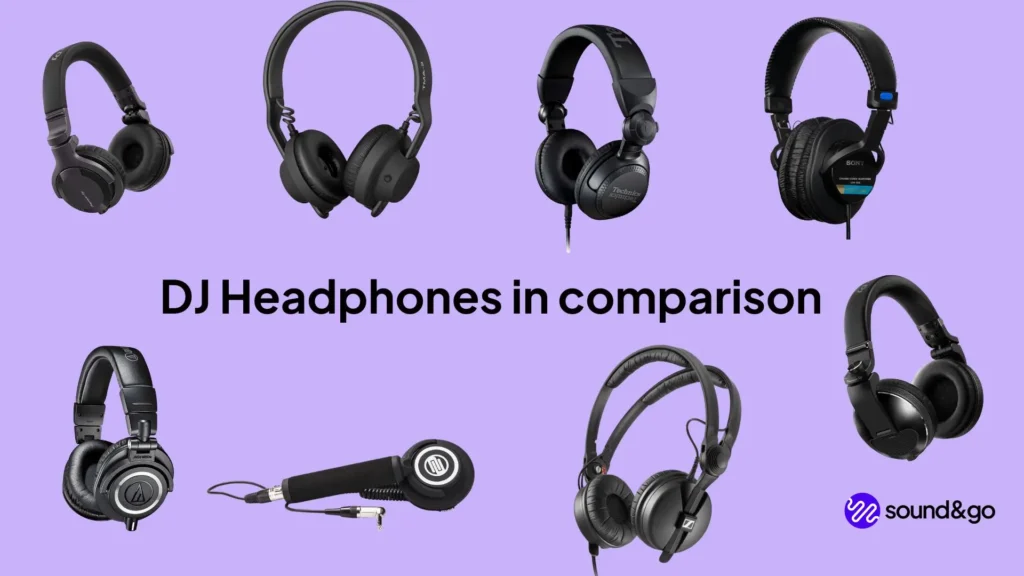
The best DJ Headphones in comparison
Links marked with * are affiliate links. There are no additional costs for you, some of these links are with an automatic discount for you. We mark these links for transparency and would never recommend bad products. Find out more here: Our partners.